Your photos, your music and your shows,each in a proper home
GlassDock comes with three media apps. Moments is a gallery for the photos and videos on your PC, with a player that opens almost any video file. Music holds your own songs and your streaming services in one window. Lounge does the same for films and shows.
Yes. GlassDock includes Moments, a photo gallery with a video player for MKV, MP4, MOV, WebM and other formats, with subtitles and audio language switching. It also includes Music, for your own song library and streaming services, and Lounge, which opens Netflix, Prime Video, Apple TV, JioHotstar and YouTube in one window.
Photos and videos
A gallery that finds your pictures for you
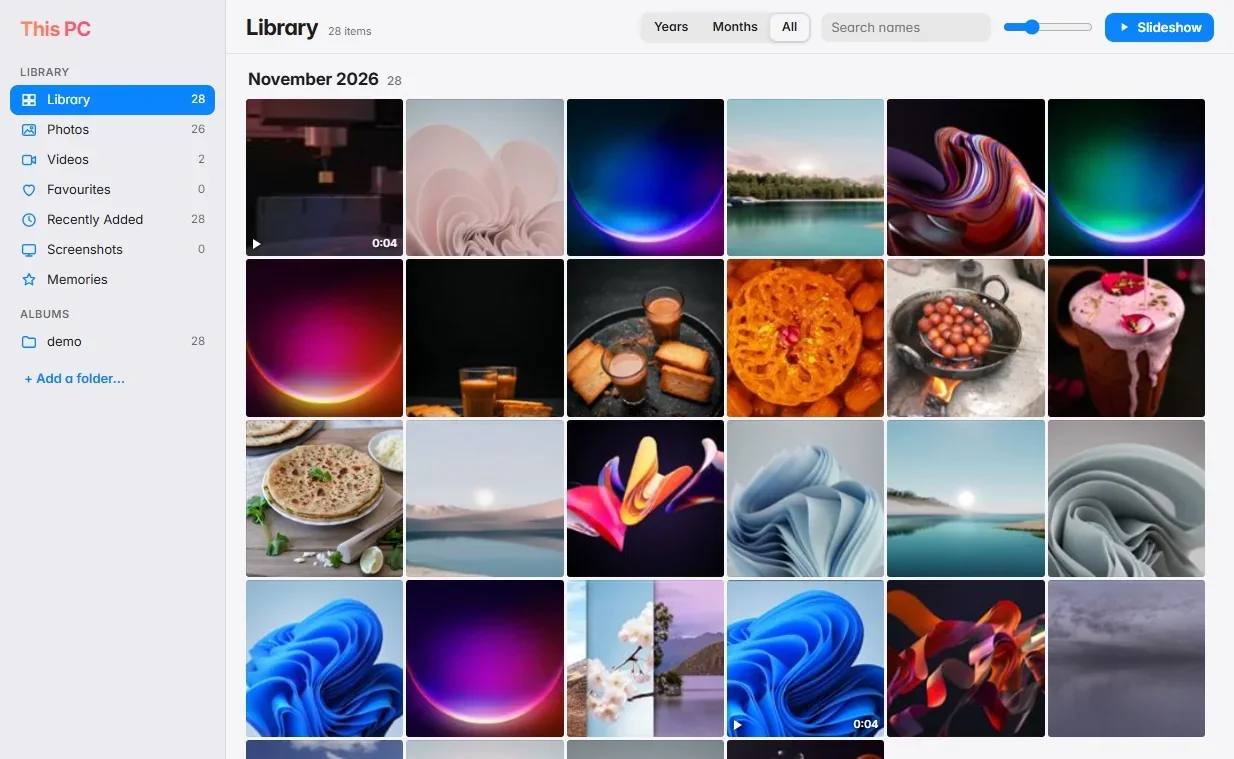
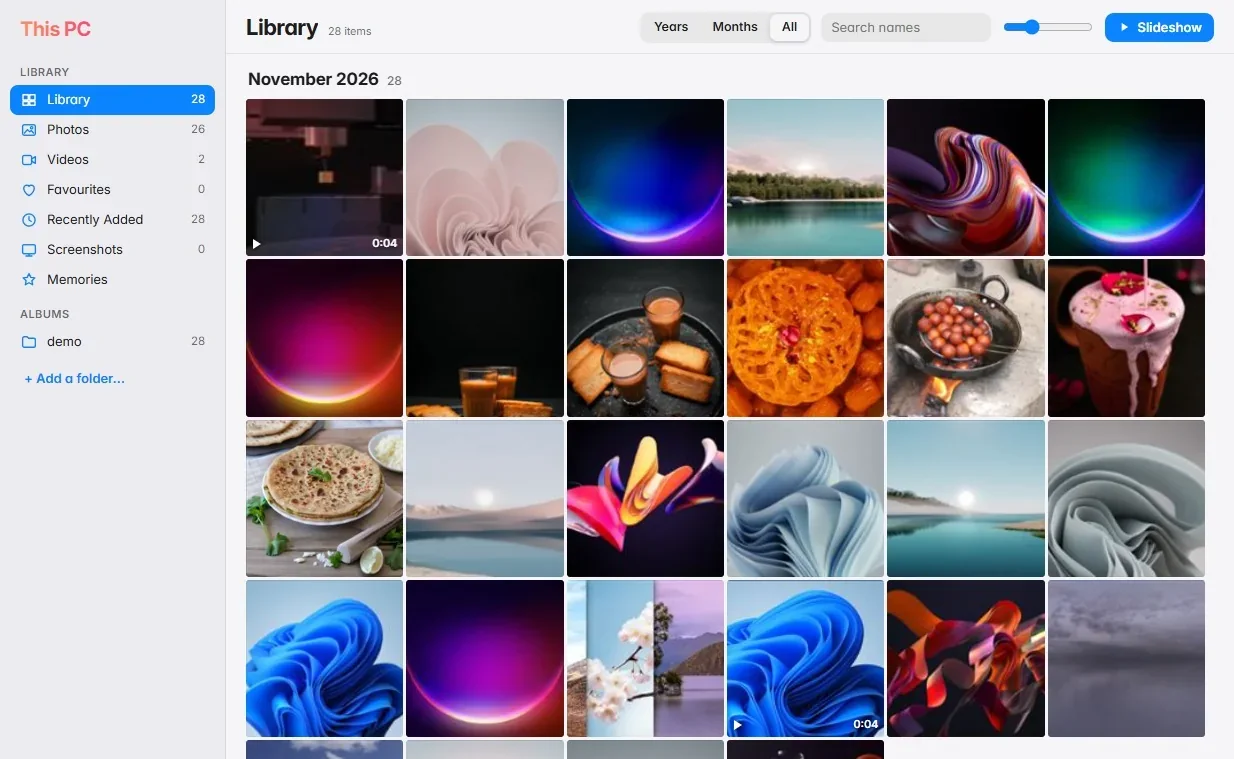
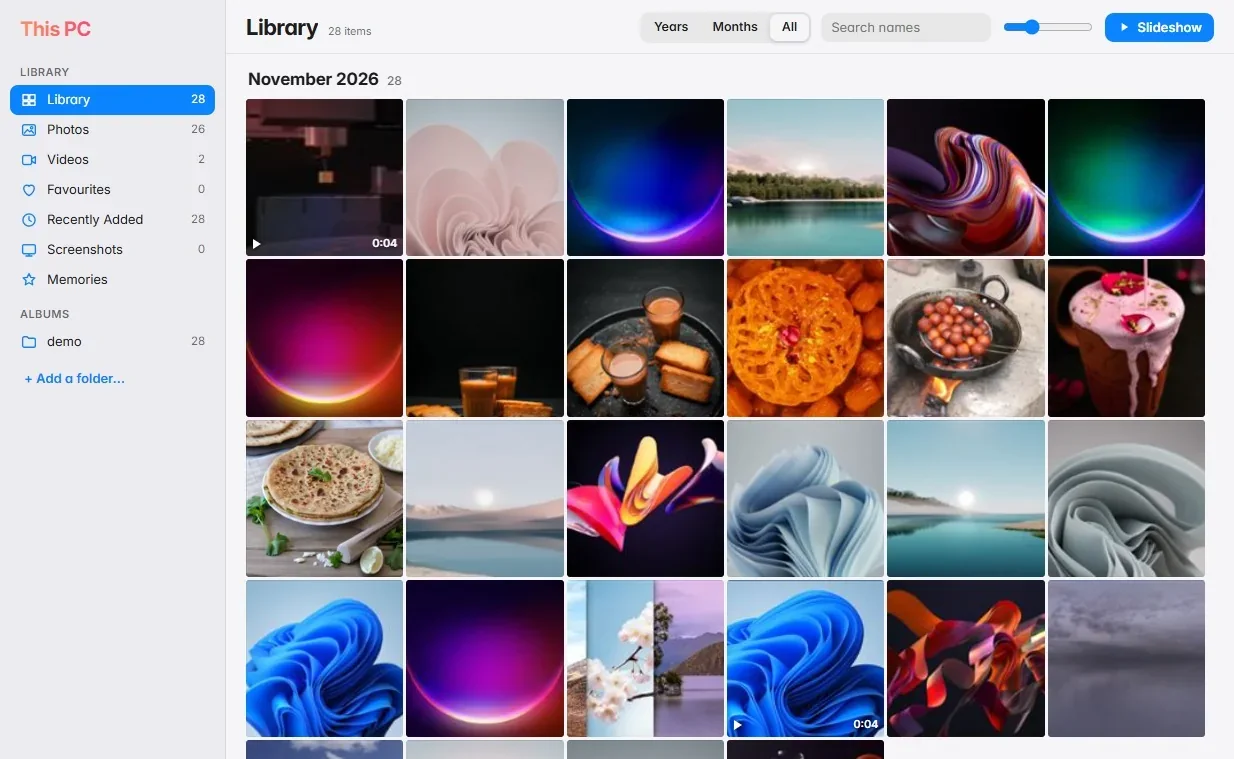
Photos end up everywhere. Some in Pictures, some in Downloads, a few on the desktop from that one time you were in a hurry. Moments gathers them from those folders into one gallery and sorts them by year and month, newest at the top. You do not import anything and nothing is moved. The files stay where they are.
Scroll back through the months, or use the sidebar: Favourites, Recently Added, Screenshots, and an album for each folder. Mark the good ones with a heart. Moments also builds small Memories for you, such as "On this day" or a month with a lot of photos, and plays them as a slow slideshow with soft background music.
Years, Months and All views
Albums by folder, Favourites, Screenshots
Memories slideshows
Add your own folders
Quick Search can open photo and video results straight in Moments
Moments
Moments sorts by year and month.
Inside Moments
A video player that just plays the file
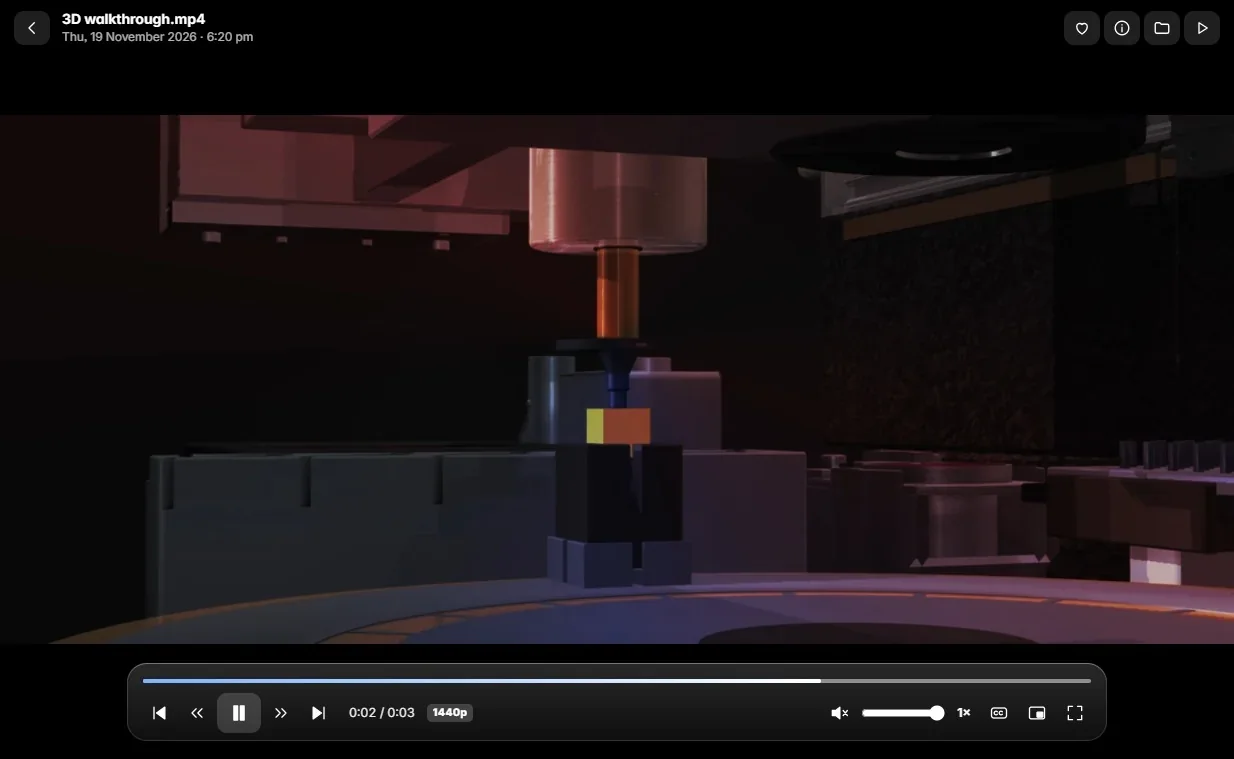
You have a film in MKV with two audio tracks, Hindi and English, and a subtitle file beside it. Double-click. It plays. Switch the audio language from the player's menu, turn subtitles on, and if you stop halfway, it picks up from the same second next time.
The player handles MKV, MP4, MOV and WebM directly, in resolutions up to 8K if your PC can manage it. Older and odder formats such as AVI, WMV, MPG, VOB and FLV are converted quietly in the background the first time you open them, then play like the rest. If a file has Dolby sound that would otherwise be silent, GlassDock fixes the sound and carries on from where you were.
MKV, MP4, MOV, WebM, and many older formats through automatic conversion
Audio language switch
Subtitles: picks up a subtitle file with the same name, or add one yourself
Speed control and picture in picture
Resumes where you stopped
Keyboard: K to pause, J and L to skip, F for full screen, M to mute
A converted file takes a short wait the first time, longer for big files. A badly damaged file may not open at all.
Player
Audio language and subtitles in the player.
More places
OneDrive, iCloud Photos and Google Photos in the same window
Moments has tabs along the top. This PC is the gallery described above. If you use OneDrive, its photos get their own tab. iCloud Photos and Google Photos open in tabs as well, each with your own sign-in on that service's own page. GlassDock does not see your password. It just gives the page a home.
If other people use your PC, put a PIN on the tabs you want private. A locked tab shows a number pad until the PIN is entered, and locks again when you close Moments or step away. The PIN is a privacy screen for people sharing your PC. It does not lock the files themselves.
Tabs: This PC, OneDrive, iCloud Photos, Google Photos
Hide any tab you do not use
Optional PIN lock per tab, with a waiting time after wrong tries
Places
One window, four places.
Songs
Your own songs and your streaming services, side by side
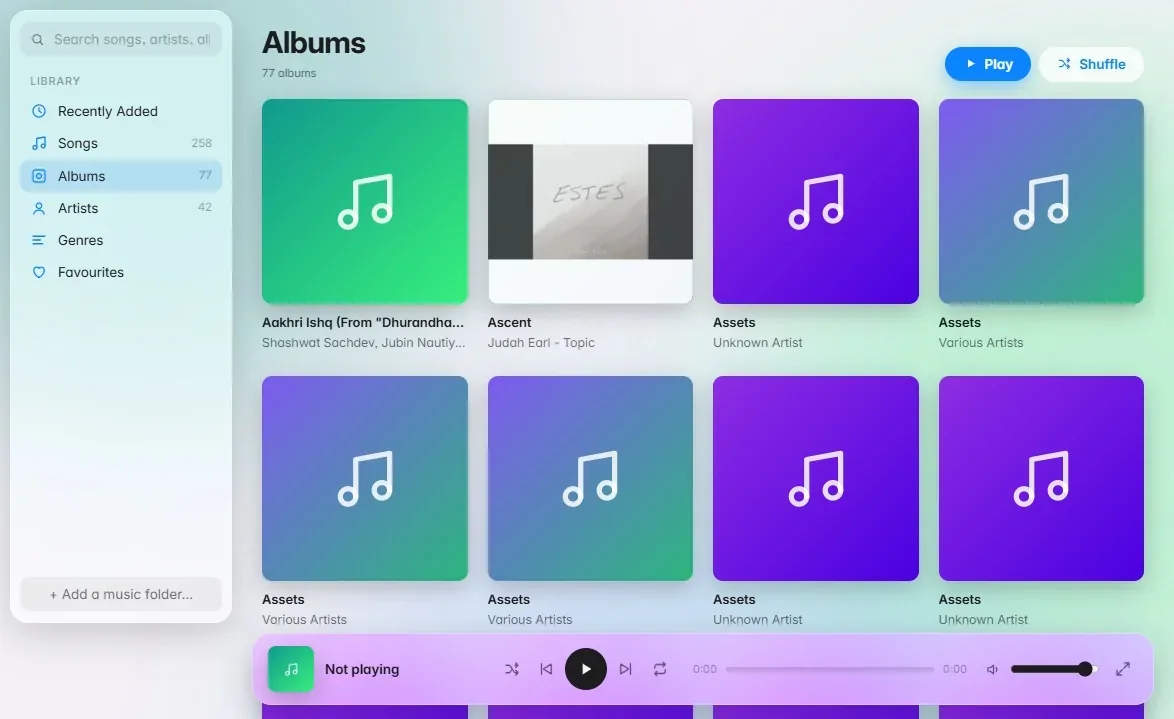
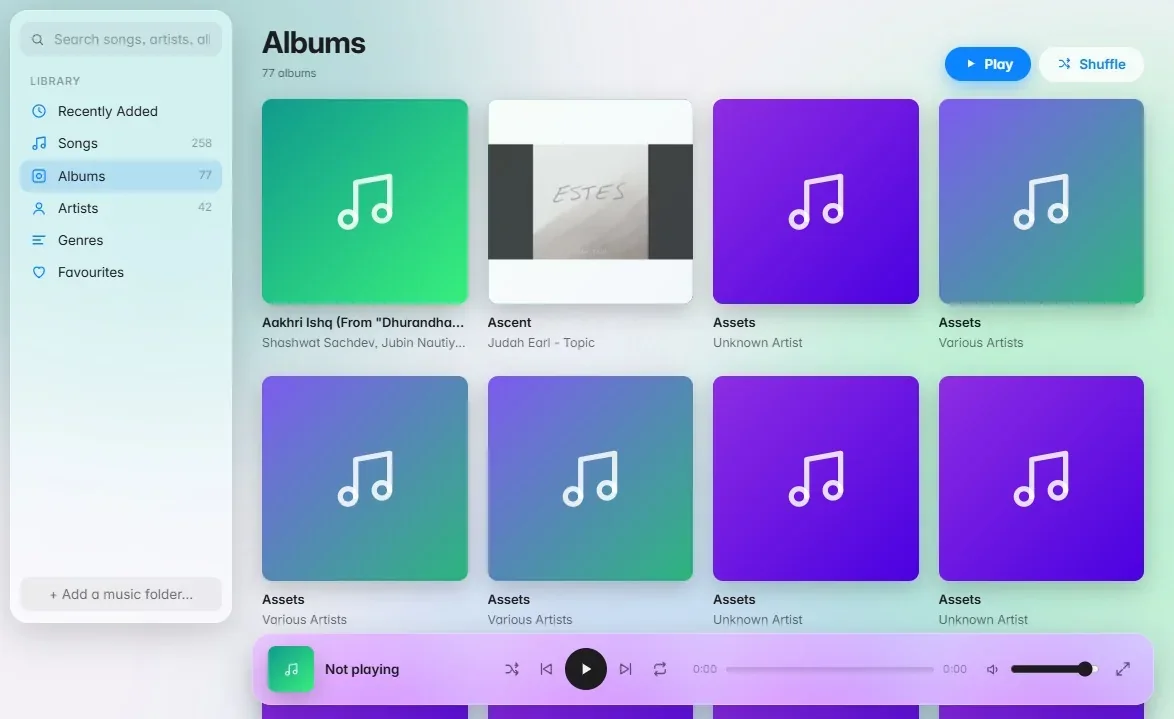
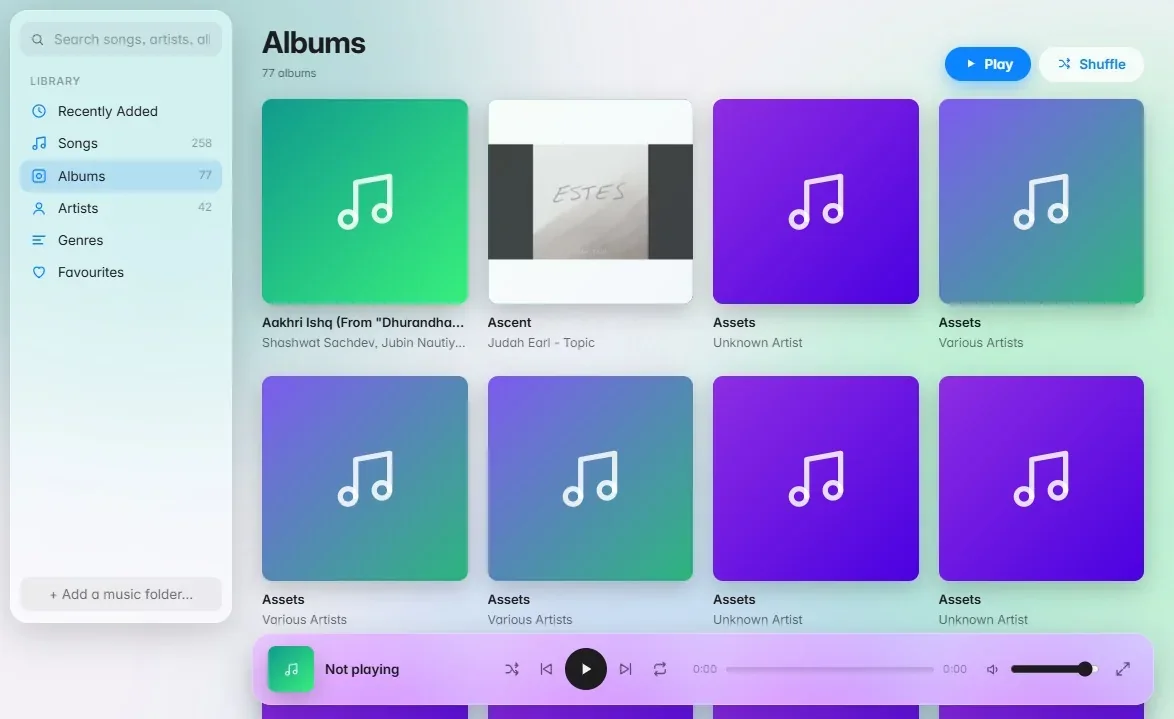
Some of us still have a folder of MP3s we have carried from one computer to the next since college. Music gives that folder the library it deserves: albums with their cover art, artists, genres, a Favourites list, a search box, and a full-screen player with the artwork glowing softly behind it. It reads the songs already on your PC. MP3, M4A and FLAC play directly, and formats like WMA are converted as needed.
Next to My Music are tabs for YouTube Music, Spotify, Apple Music and Amazon Music. Sign in to the ones you use with your own account. Add a tab for any other music site. Whichever tab is playing, the same keys work: play and pause on your keyboard, the controls in Control Center, the Now Playing widget.
And there is a Phone tab, which plays your phone's music through the PC over Bluetooth with a visualiser that moves to the sound.
My Music: albums, artists, genres, favourites, shuffle and repeat
Streaming tabs: YouTube Music, Spotify, Apple Music, Amazon Music, plus your own
One set of media keys for every tab
Remembers the last song and where you paused
Phone tab with a visualiser
Streaming tabs are the services' own players. You need your own account with each service.
Music
My Music.
Music
Streaming services as tabs.
Films and shows
Every streaming service in one window
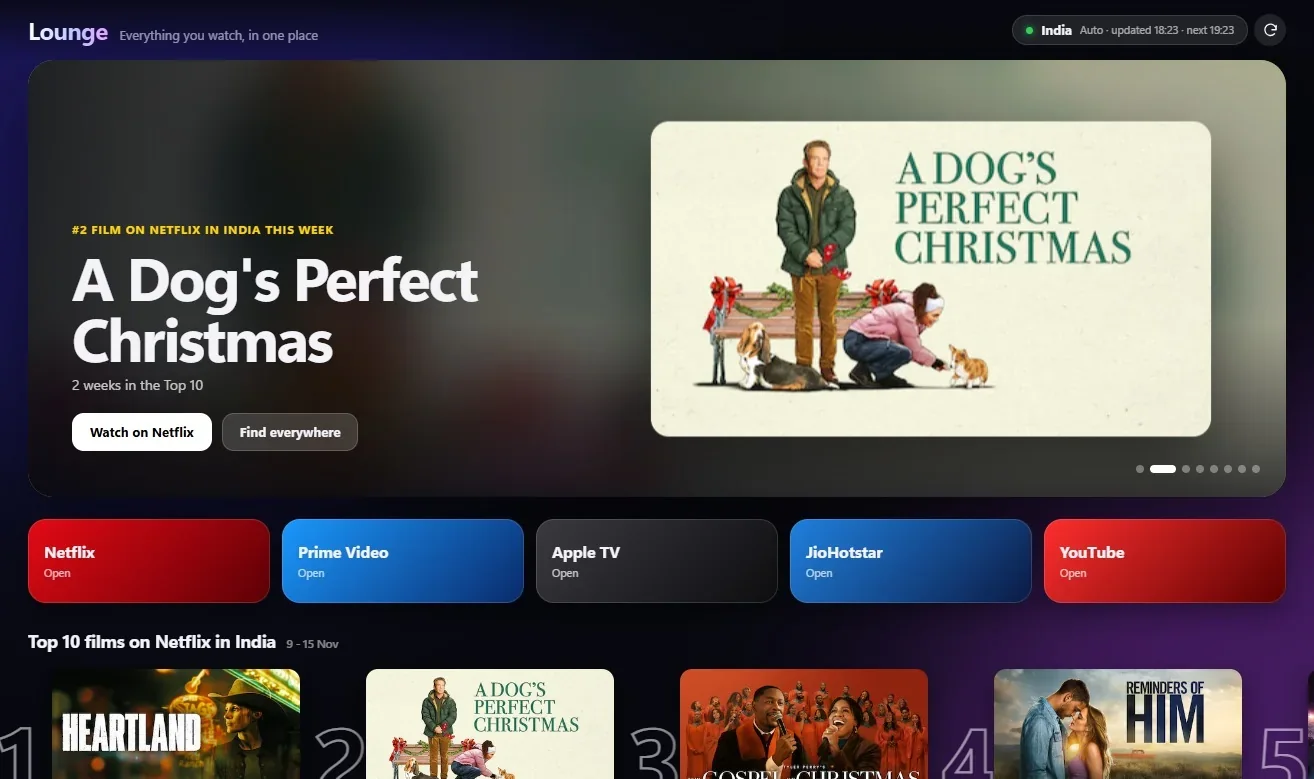
Friday night, and the usual question. Is it on Netflix or Prime? Lounge keeps your streaming services as tabs in one window: Netflix, Prime Video, Apple TV, JioHotstar (in India) and YouTube. Add a tab for any other service you use.
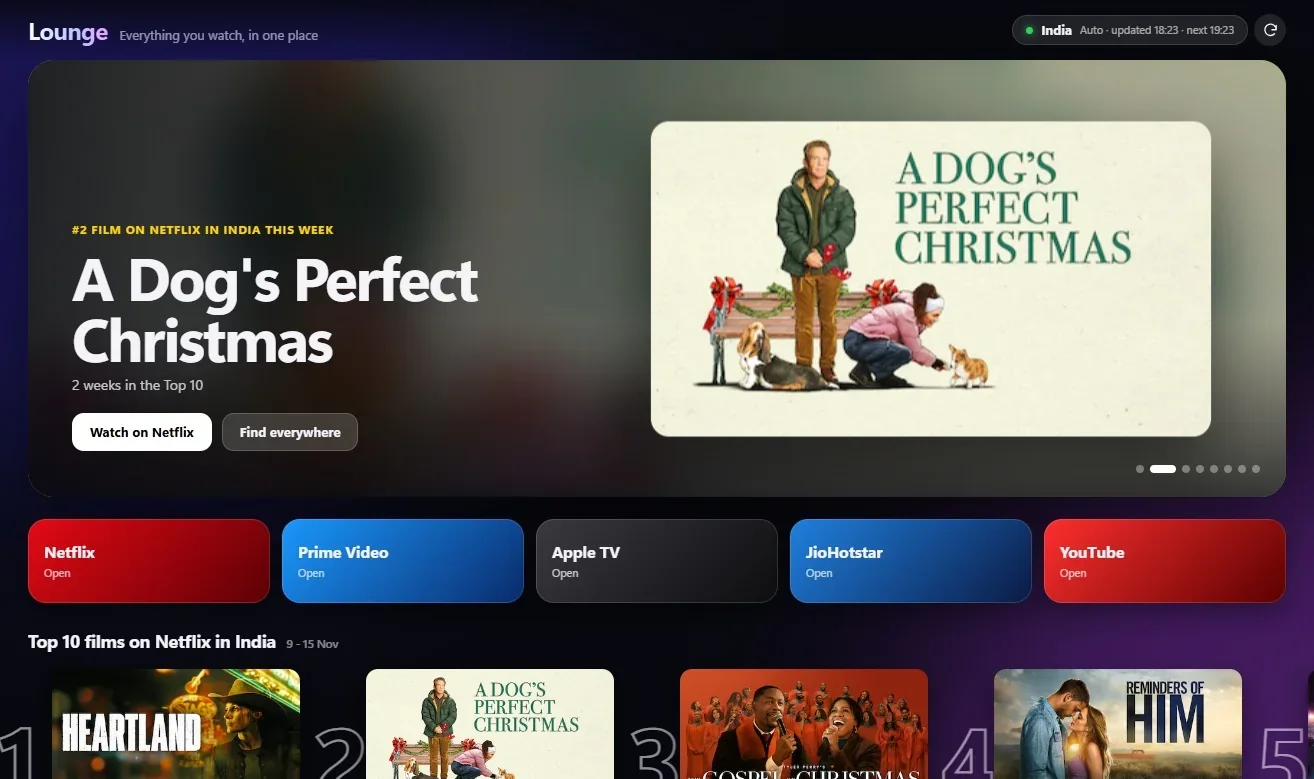
The Home tab helps you choose. It shows the current Netflix Top 10 films and shows for your country and the top films in the Apple TV store. Click a title to see which service to watch it on, or play its trailer. Videos you were watching in Moments show up under Continue watching.
Tabs: Home, Netflix, Prime Video, Apple TV, JioHotstar, YouTube, plus your own
Home shows what is popular in your country
"Watch on" and trailer buttons for each title
Full screen hides the dock and menu bar
Lounge opens each service's own website. You sign in with your own accounts. GlassDock does not provide any films or shows itself. To show the right country's list, Lounge looks up your country from your internet address. You can set the country yourself in Settings.
Lounge
Lounge Home.
Questions
Media questions
Can GlassDock play MKV files?
Yes. The player in Moments plays MKV directly, along with MP4, MOV and WebM. You can switch between audio languages in the file and show subtitles. Other formats such as AVI, WMV and MPG are converted automatically the first time.
Does GlassDock include Netflix or Spotify accounts?
No. Lounge and Music open the services' own websites in tabs. You sign in with your own accounts. GlassDock gives them one tidy window and one set of playback keys.
Does Moments upload my photos anywhere?
No. Moments reads the photos and videos already on your PC and shows them in a gallery. Nothing is uploaded or moved. The iCloud Photos and Google Photos tabs are those services' own pages, which you sign in to yourself.
Can I lock my photos with a PIN?
You can put a PIN on Moments tabs such as OneDrive, iCloud Photos and Google Photos. The tab stays locked until the PIN is entered. This is a privacy lock for a shared PC. The files themselves are not locked.
Which music formats does My Music play?
MP3, M4A and FLAC play directly. Formats the player cannot read on its own, such as WMA, are converted when you play them. My Music finds songs in your user folders and any folders you add.
Do the keyboard's play and pause keys work?
Yes. The media keys control whichever Music tab is playing, whether that is your own library or a streaming tab. The same goes for the controls in Control Center and the Now Playing widget.